

Step 1. Log in
Log in at https://app.holio.ai using your Profrakt account credentials.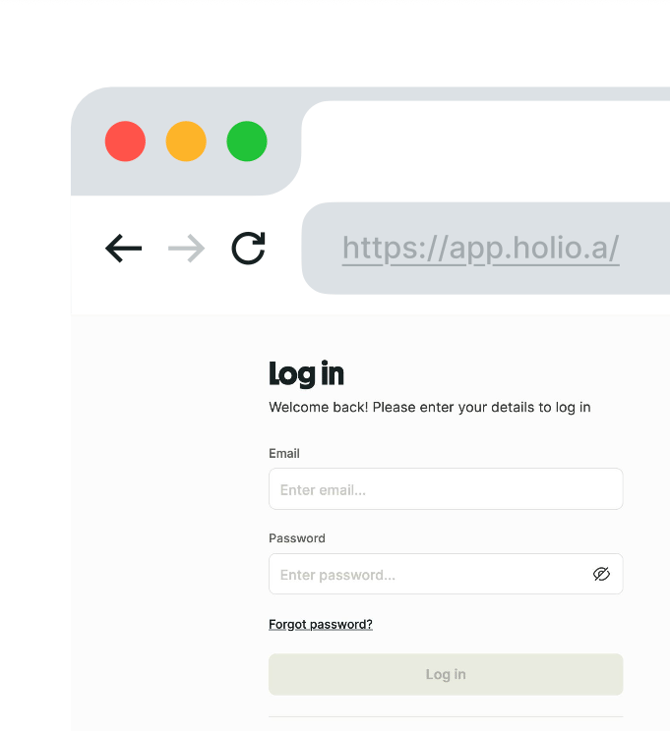
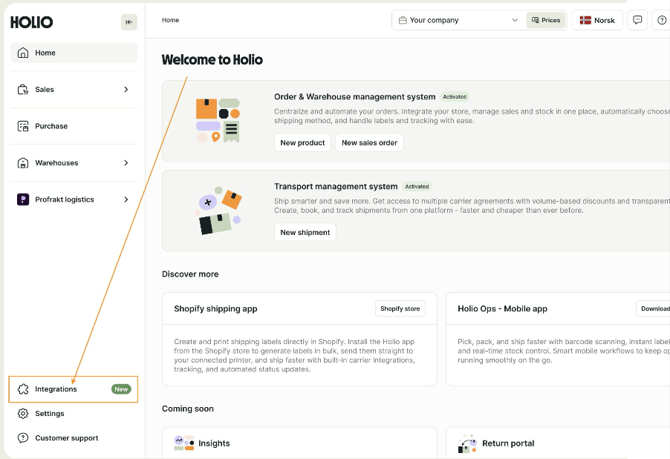
Step 2
Navigate to the Integrations section
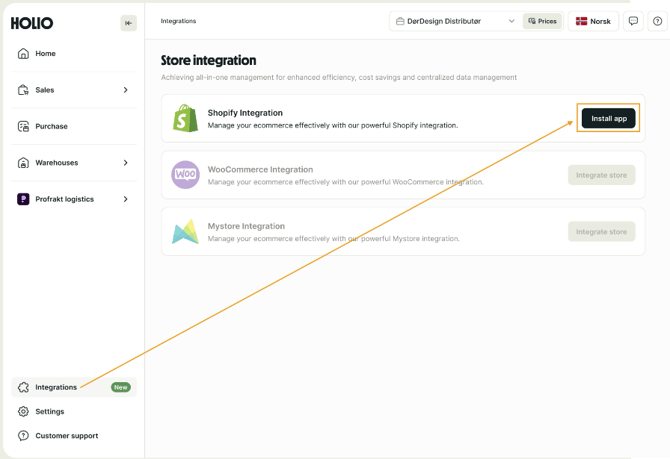
Step 3
Select the Shopify integration and click the Install button
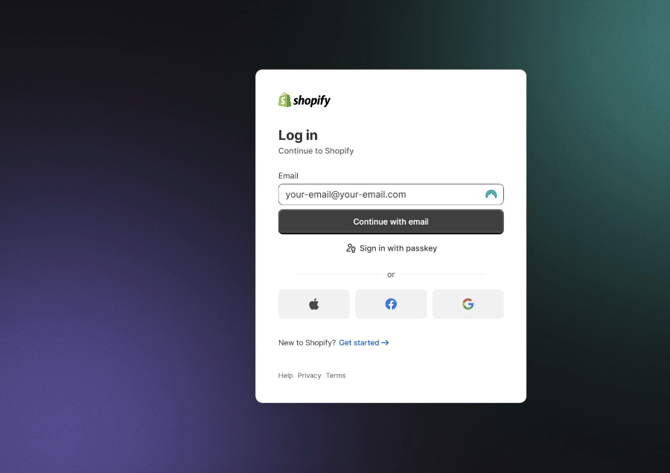
Step 4
You will be redirected to your Shopify store, where you need to log in.
Step 5
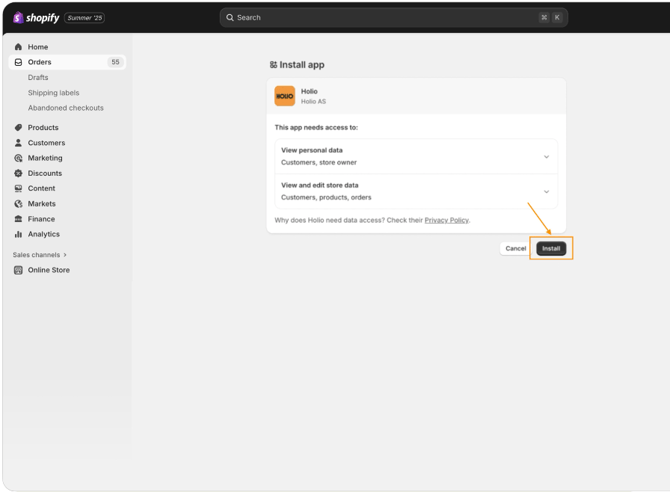
Then you will be redirected to the Holio app installation page.
Click Install to continue.
Step 6
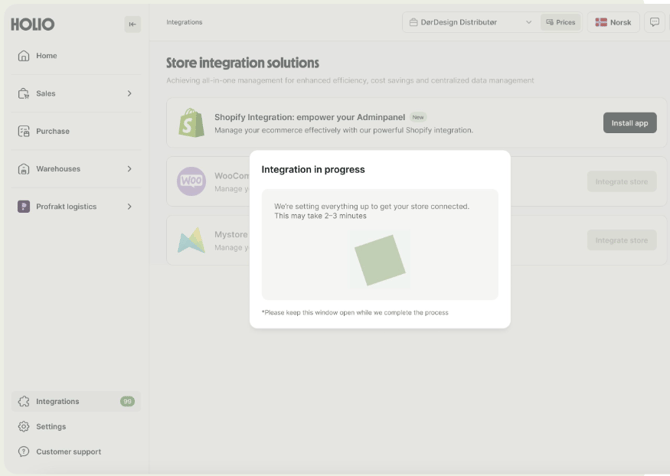
After that, you will be automatically redirected to https://app.holio.ai
The integration setup may take up to 2–3 minutes. Please do not refresh or close the page.
Step 7
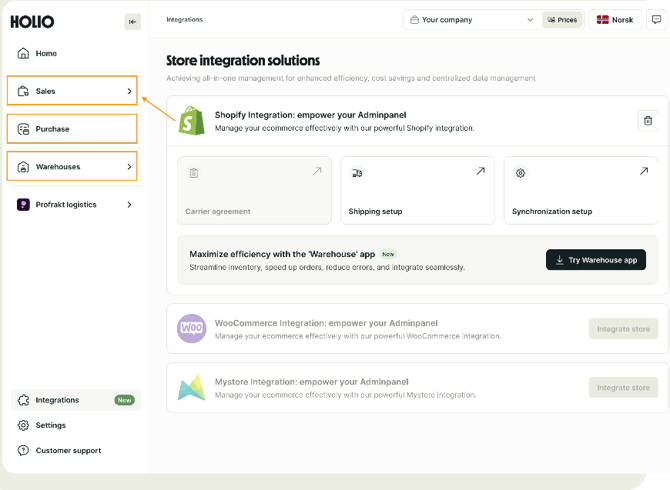
When the integration is ready, you will see that the integration is active.
You can then go to Sales orders and Products to view your data.
Step 8
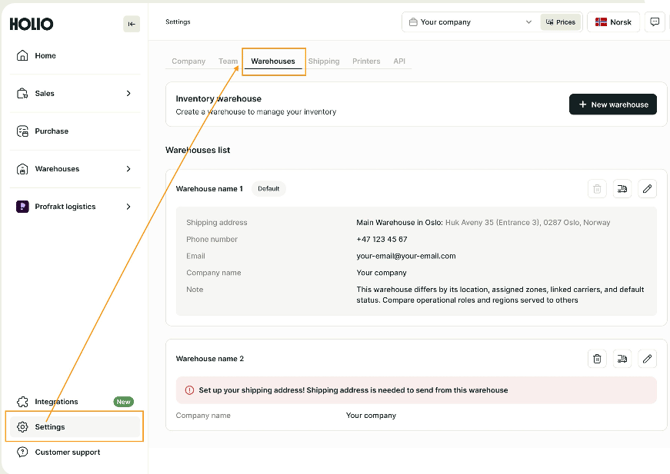
To manage warehouses, go to Settings and then Warehouses section and edit them if needed.
All done 🎉
Need help? Feel free to book a meeting.